 Built on a working site in Indore
Every rupee in and out, every man-day, every bag of cement, every bill photographed — across one site or twenty, in one place that agrees with itself. For an individual contractor and for a firm with managers on every site.
The demo runs on sample data, in your browser, with nothing to install and no sign-up. Nothing you type in it leaves your device.
Both stores are in progress. Until they are live we send you a test build directly and you can be running it the same day — ask us.
Not a planning tool. The money, the men and the material — the three things that are argued about at the end of every month, recorded as they happen by the person they happen to.
Funds you send to a site, and everything spent on it — by cash, UPI, bank or cheque, so the balance on the screen is the balance in hand.
A manager records the expense with a photo of the bill; you approve or reject it from wherever you are. Only what you approved moves the balance.
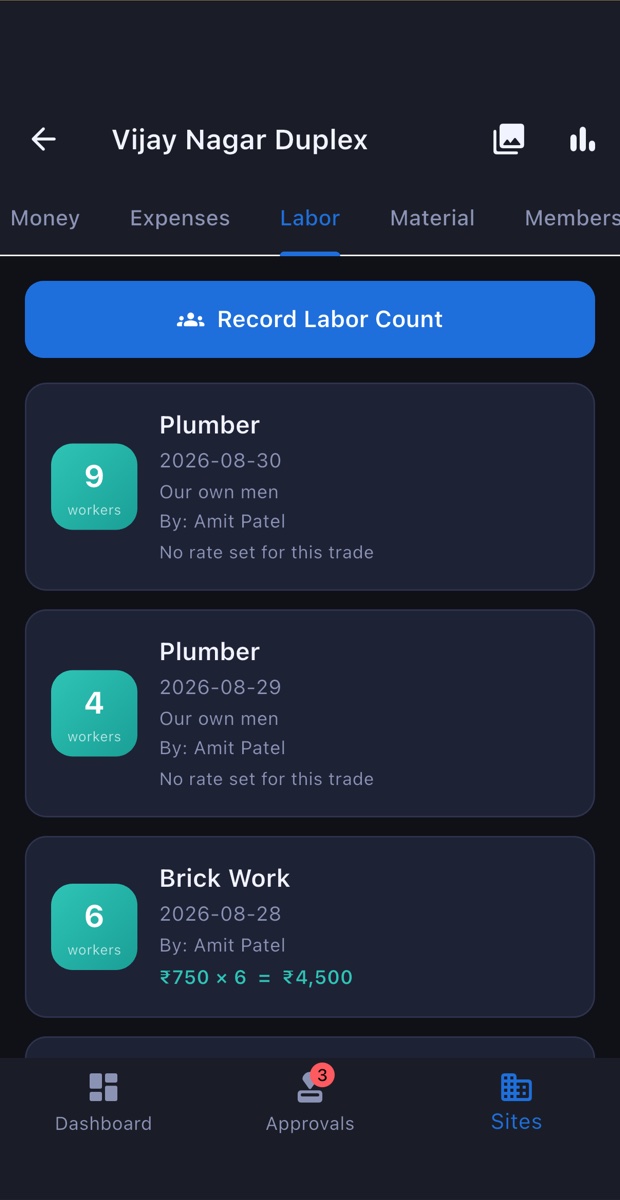
The day's headcount per trade, whose men they were, and what the day comes to — worked out from the rate card as it is typed, not in somebody's head.
What arrived, what was used, what is left on each site. Transfers between sites, a low-stock warning before the work stops, and requests from the site to the office.
A ledger per contractor and per supplier, advances included, and one screen that answers "what do I owe right now" without adding anything up.
Photographs go on the entry itself, not into a gallery of four thousand pictures. Six months later the bill is still with the expense it paid.
Any date range as an Excel file, straight into WhatsApp or email for the accountant. Your figures, in a format everybody already has.
An approval waiting, a decision made, a material request, stock running out — as a notification, so nothing sits unseen for three days.
The same app in a browser for the office, signed into by scanning a code with the phone already in your hand — no password typed on a shared machine.
Real screens from the app, filled with the sample business the demo runs on — four sites, a handful of contractors and a month of entries.
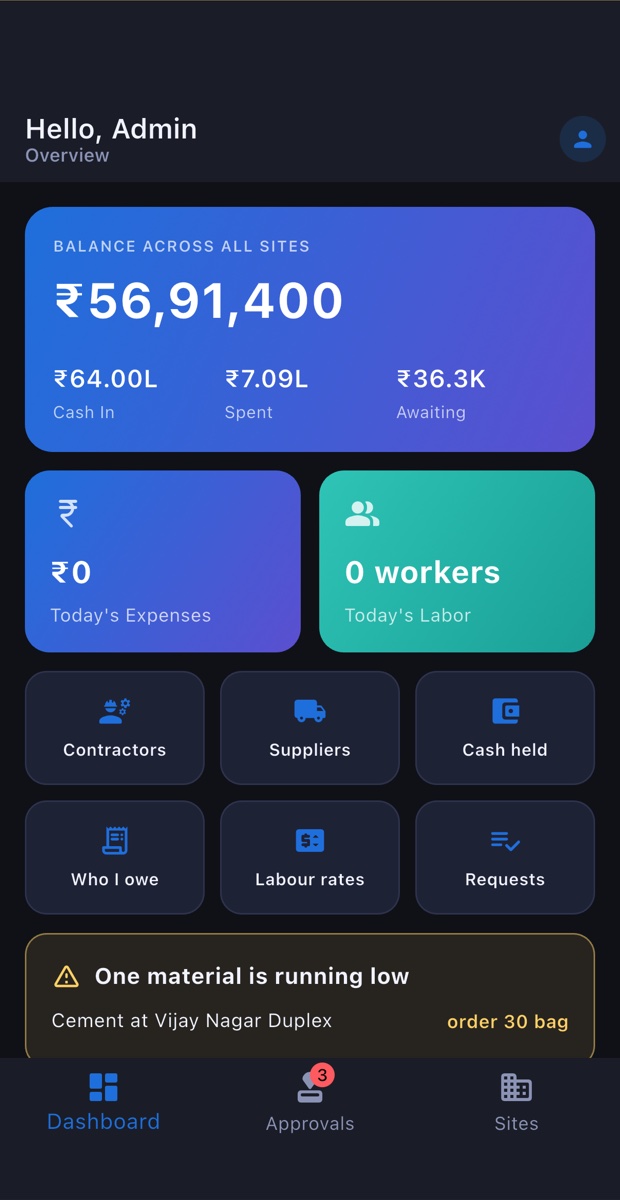
Received, spent, in hand — and what is waiting for you at the top.
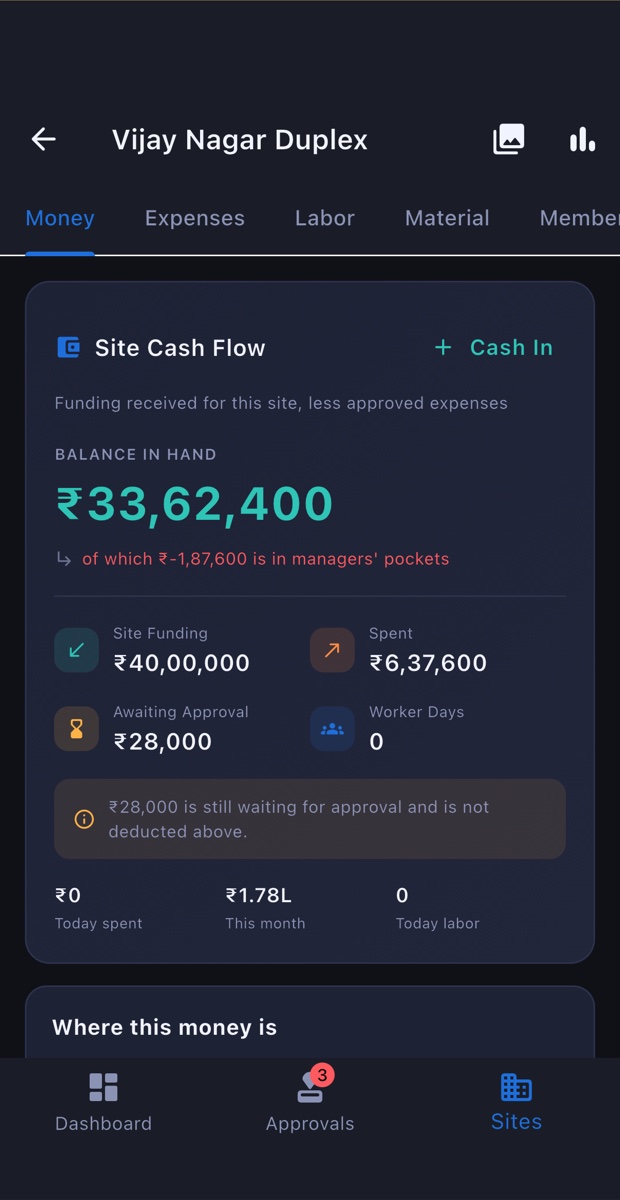
Its cash flow, its labour, its stock and everything recorded on it.
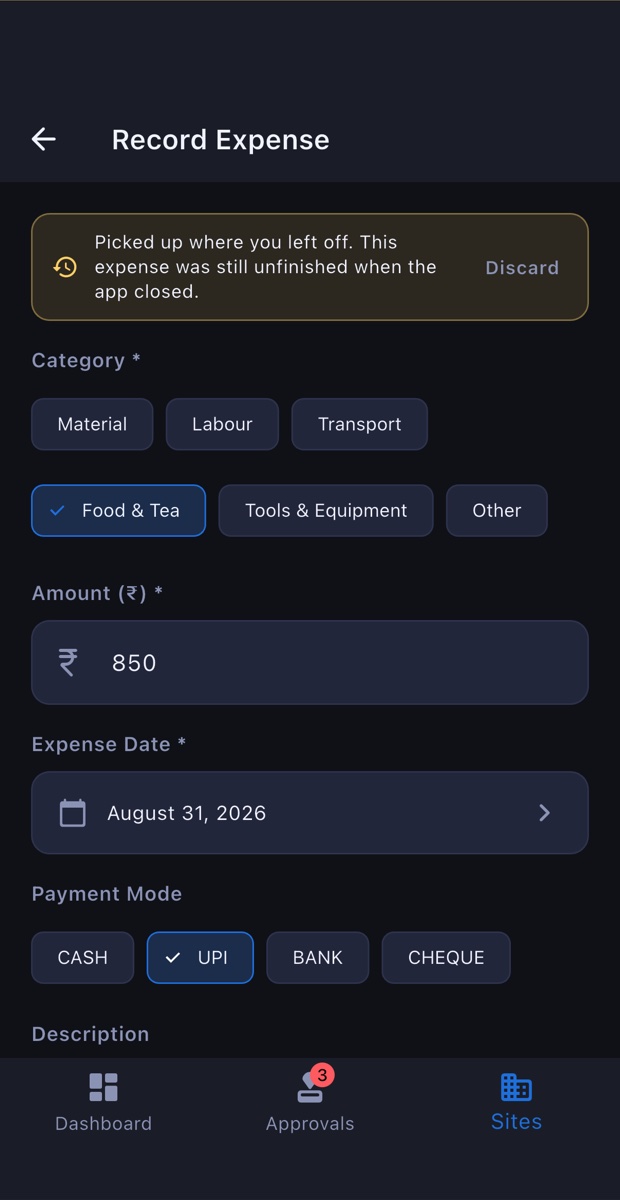
Category, who was paid, how much, how — and a photo of the bill.
Trade, headcount, whose men — and what each day came to, from the rate card.
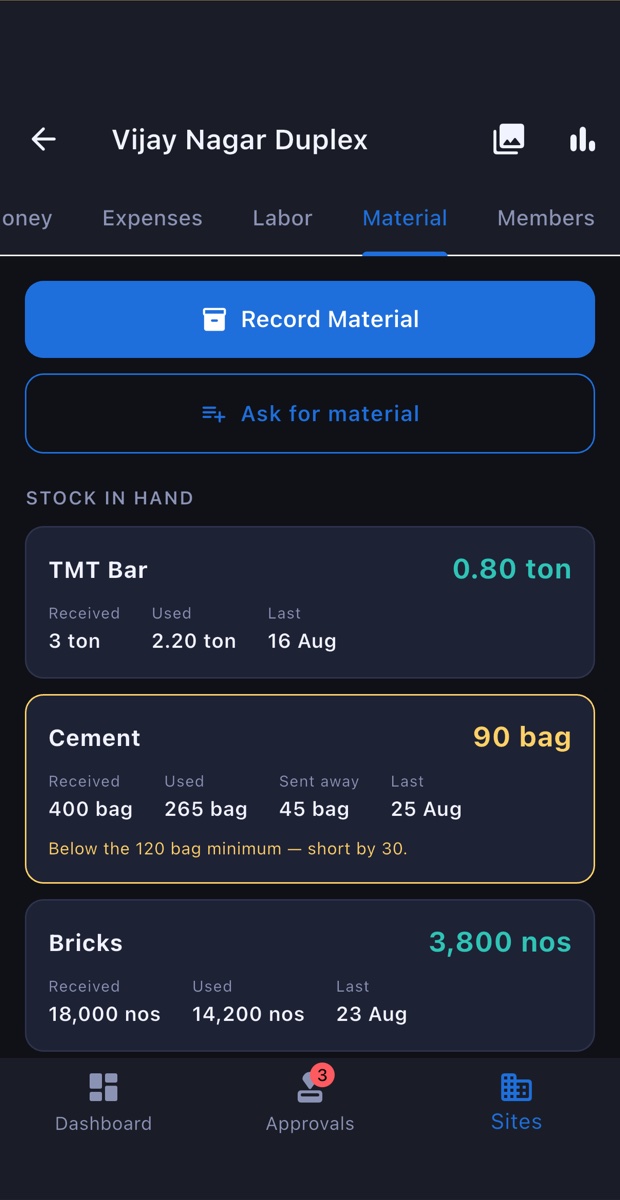
Stock as it stands, with a warning before something runs out.
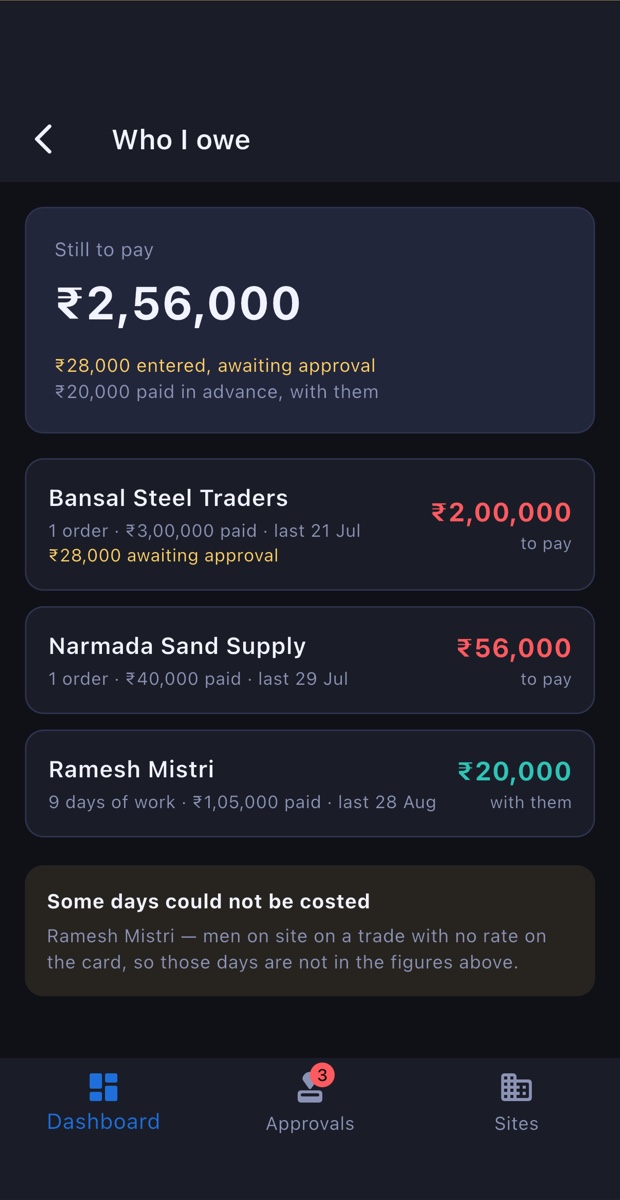
Every contractor and supplier, with advances already taken off.
Prefer to press the buttons? Open the demo — it is this same app, running on this same sample data, offline in your browser.
The same app. What changes is how much of it you switch on — and that is set up for you, not left as a decision you have to make on day one.
Priced on how much you are running — sites and people — because that is what actually differs between a contractor with one house and a firm with twenty. Start free for a month with a real site on it, not a sandbox.
Loading the plans…
Prices are per business, not per person, and exclude GST. Paid yearly works out about two months cheaper. No card is stored anywhere and nothing renews by itself — we send you a message when it is due.
Two numbers and a phone number. Sourabh calls you back — usually within a few hours — and sends the plan on WhatsApp. There is nothing to pay here and no card to enter.
Accounts are set up by hand, deliberately — we would rather know who is using this and be reachable when something is wrong.
Open it in your browser and add a few entries. It is the whole app on sample data, and it costs you nothing but five minutes.
The form above, one message on WhatsApp or one email — how many sites, how many people and what you want recorded. We answer the same day.
We create your business and your first login; you add your sites and your managers from inside the app and start recording today's work.
Not a sales team and not a ticket queue — Sourabh, who writes this app and runs it. Ask anything, including whether it suits how you already work.
Usually answered within a few hours, in English or Hindi.